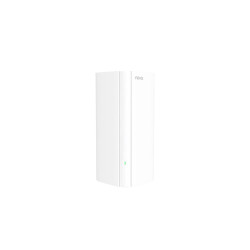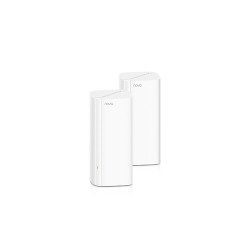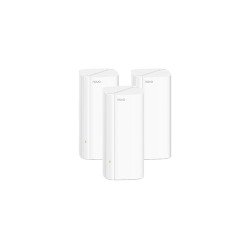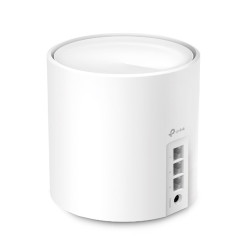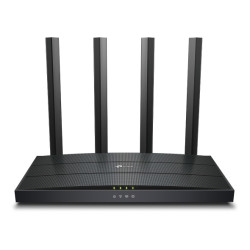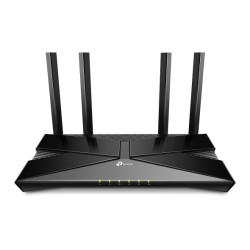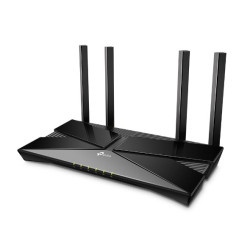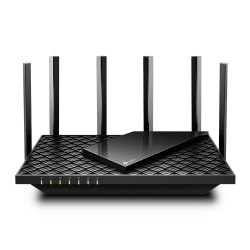
A Faster Package, a Busy Home, or One Difficult Room?
Those are three different reasons to shop for a router. A faster internet package needs suitable wired interfaces. A busy household needs a setup that suits its devices. One difficult room may need a better access location more than another headline wireless number.
Start with where the internet enters the home and where you actually use it. Include the work desk, television and any wired computers. That small plan will help you choose between one router and a multi-unit system.
WiFi 6 Router Price in Bangladesh: Five Choices
| Model | Type | Best for | Key details | Price (BDT) |
|---|---|---|---|---|
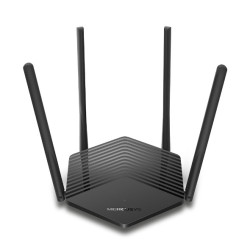
| Mercusys MR60X | Standalone router | Lower-cost Wi-Fi 6 shortlist | AX1500; Gigabit Ethernet | 2,950 |
| Mercusys MR80X | Standalone router | Comparing AX3000 choices | AX3000 dual-band | 4,250 |
| TP-Link Archer AX12 | Standalone router | Alternative AX1500 option | Listed AX1500 Wi-Fi 6 | 4,260 |
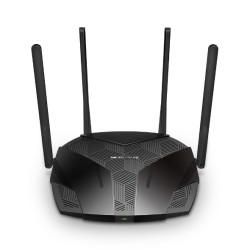
| TP-Link Archer AX53 | Standalone router | AX3000 with Gigabit wired links | AX3000; Gigabit WAN | 6,000 |
| TP-Link Deco X50 (3-pack) | Mesh system | Several planned Wi-Fi access locations | AX3000; three Gigabit ports per unit | 20,100 |
These are five store-listed comparisons, not a verified national sales ranking. The Deco amount is for the listed three-pack; the other rows are standalone router listings. Compare package quantity alongside the specification and price.
What Changes Between AX1500 and AX3000?
Mercusys MR60X starts this collection at BDT 2,950. It is an AX1500 Wi-Fi 6 router with Gigabit Ethernet. Archer AX12 is another listed AX1500 option at BDT 4,260. Compare their exact interfaces, supported features and current hardware versions before deciding.
MR80X is listed at BDT 4,250 as an AX3000 dual-band router. Archer AX53 is BDT 6,000 and also belongs to the AX3000 class. The shared wireless class gives you a starting point, but it does not make their software, ports or package identical.
AX1500 and AX3000 describe wireless classes. They are not promised download rates from your internet provider or a speed guaranteed to one phone. Client capability, radio conditions, wired links and the broadband service all affect the result.
Give the WAN Port as Much Attention as Wi-Fi
The WAN connection carries traffic between the router and your internet equipment. For a broadband package above 100 Mbps, suitable Gigabit WAN and LAN interfaces avoid a Fast Ethernet bottleneck. The ISP equipment and connecting cables must also suit the planned link.
Archer AX53 has a Gigabit WAN port, according to the manufacturer specification. That is useful when comparing it for a suitable faster broadband connection. Match the rest of the wired path too; replacing only the router cannot remove every possible limit.
Count LAN connections if your desktop, television or console will use cables. You may need a suitable network switch when those connections outgrow the router. Include that in the plan instead of choosing a wireless class to solve a port-count problem.
One Router or a Deco Three-Pack?
A single router may suit a layout where a practical central location reaches the required areas. Walls, interference and equipment position affect wireless results. Antenna count does not establish a guaranteed room count or square-foot coverage.
The listed Deco X50 three-pack costs BDT 20,100. TP-Link specifies AX3000 Wi-Fi 6 and three Gigabit Ethernet ports per unit for Deco X50. A multi-unit layout gives you several access locations, but the nodes still need effective links between them.
Plan node positions before choosing a pack. Where supported and practical, suitable Ethernet links between units are worth considering. Keep the exact Deco model and hardware version on the quotation; X50, X50-PoE and other named variants can have different interfaces.
Will Your Existing Devices Benefit?
A device needs Wi-Fi 6 support to use Wi-Fi 6-specific features. Older compatible clients can use supported earlier Wi-Fi standards, but they do not gain every newer capability. Include the phones and computers you actually own in the decision.
For a fixed gaming or work desk, consider a suitable Ethernet connection. If you rely on Wi-Fi, client support and the signal at that desk matter. ISP routing, other traffic and the destination server also affect latency; a newer router cannot guarantee lower ping.
Other Models Worth Comparing
The category also lists Tenda TX2L Pro at BDT 3,800, TX12 Pro v2.0 at BDT 4,510 and TX3000 Pro at BDT 4,510. These give you additional brand and model choices. Match their exact hardware documentation to your required features.
Archer AX15 is listed at BDT 5,940, while Archer AX73 is BDT 16,700. The AX73 listing is AX5400, so this collection is not limited to AX3000 models. Compare the capability you need instead of buying the largest class label by default.
Send a Short Brief With Your Enquiry
- Your broadband package and existing ONU or modem model.
- Rooms needing Wi-Fi and possible router or node locations.
- Wired devices and required LAN connections.
- Exact hardware version, package size and required software features.
Ask TechMe BD for the selected model, included accessories and current total on one quotation. List any extra cabling or setup work separately. Keep your invoice and product details for applicable warranty claims.
The Warranty Policy explains product terms, while Online Delivery terms cover arrangements and charges. Browse the Networking collection if you also need wired networking equipment.
Four Questions Buyers Often Ask
What is the starting WiFi 6 router price in Bangladesh?
The listed Mercusys MR60X starts at BDT 2,950 at TechMe BD. Request the exact hardware version and current quotation before ordering.
Will an AX3000 router give me 3000 Mbps internet?
No. AX3000 is a wireless class, not a guaranteed internet download rate. Your broadband service and the complete connection path still limit the result.
Should I choose one router or a mesh package?
Choose around the layout and practical access locations. A mesh package can add access points around the home, but node placement and links between units still matter.
Do I need Wi-Fi 6 devices to use a Wi-Fi 6 router?
Supported older devices may connect using earlier standards. A client needs Wi-Fi 6 capability to use the newer standard-specific features.
Contact TechMe BD for the current WiFi 6 router price in Bangladesh and a quotation suited to your broadband and layout.