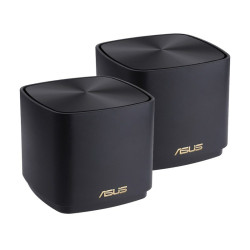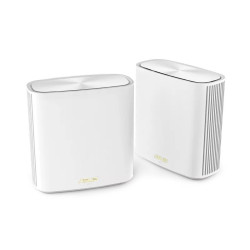

Access Point Price in Bangladesh: 5 Models to Compare
| Model | Type | Best for | Listed details / exact device match required | Price (BDT) |
|---|---|---|---|---|
| AP5 | Wireless access point | Desktop access location | Tenda AP5 N300 Wireless Desktop Access Point | 2,050 |
| EAP115 | Wireless access point | Ceiling installation shortlist | TP-Link EAP115 300Mbps Wireless N Ceiling Mount Access Point | 3,200 |
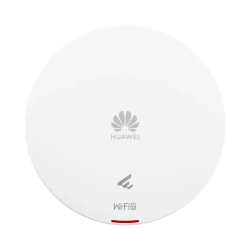
| EAP613 | Wireless access point | Listed AX1800 Wi-Fi 6 option | TP-Link EAP613 AX1800 Ceiling Mount WiFi 6 Access Point | 10,800 |
| WAX618 | Wireless access point | Listed AX3000 multi-gigabit option | NETGEAR WAX618 WiFi 6 AX3000 PoE Dual Band Multi-Gig Access Point | 22,500 |
| UAP-AC-PRO | Wireless access point | UniFi installation shortlist | Ubiquiti UAP-AC-PRO AC1750 Mbps Gigabit Dual-Band UniFi Access Point Without PoE Adapter | 23,500 |
These five options cover different indoor installation needs. They are a buying shortlist, not an audited national sales ranking. Compare the exact model, hardware revision and package before ordering.
Do You Need an Access Point or a Router?
An access point provides wireless access to a network. Your gateway or router handles the internet connection according to the network design. Adding an access point can place Wi-Fi nearer the rooms where people use it.
Start with the areas that need a connection and where you can bring an Ethernet cable. A desktop position, ceiling location and wall outlet can need different equipment. Plan the cable route and power source before choosing only by the advertised wireless class.
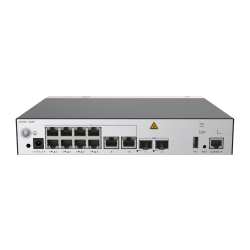
This collection also includes mesh routers, outdoor CPE units, gateway consoles and controllers. Those products serve different roles. A controller manages equipment; it is not the access point that provides client Wi-Fi.
Tenda AP5 and TP-Link EAP115 Prices
Tenda AP5 is listed at BDT 2,050 as an N300 desktop access point. Its manufacturer datasheet specifies 2.4 GHz wireless and two 10/100 Ethernet ports. Compare it for a basic access location with the supported installation method.
TP-Link EAP115 is listed at BDT 3,200 as a Wireless N ceiling-mount access point. TP-Link documents Fast Ethernet and PoE support for the referenced V1 model. Match the supplied revision before selecting the power source and installation accessories.
A 100 Mbps Ethernet link limits usable throughput below that nominal rate. A larger wireless number cannot remove a slower wired uplink. Compare the access point, switch and broadband path together.
Wi-Fi 6 Options: EAP613 and WAX618
TP-Link EAP613 is listed at BDT 10,800. Its official V1 datasheet identifies AX1800 dual-band Wi-Fi 6 and one Gigabit Ethernet port. Check the supplied hardware version and package when planning power and mounting.
NETGEAR WAX618 is listed at BDT 22,500. NETGEAR specifies AX3000 dual-band Wi-Fi 6 and a 2.5G connection for this model. To use a multi-gigabit uplink, the connected switch and cabling must also support the intended rate.
AX1800 and AX3000 are wireless classes, not promised internet download speeds for one user. Compatible clients are needed to use Wi-Fi 6-specific features. Radio conditions, shared traffic and the broadband service affect practical results.
UAP-AC-PRO and the UniFi Shortlist
Ubiquiti UAP-AC-PRO is listed at BDT 23,500 without a PoE adapter. Its official guide specifies dual-band 802.11ac wireless, Gigabit Ethernet interfaces and 802.3af/802.3at PoE support. Include a compatible power source in the quotation.
Choose the management approach for the exact UniFi installation. A gateway console and an access point can belong to the same design while performing different jobs. Identify the required equipment and management platform separately.
The guide permits UAP-AC-PRO outdoor installation only in a protected location. For an exposed outdoor site, select equipment documented for that environment. A general access-point label does not establish unrestricted outdoor suitability.
How to Choose Your Access Point
- Identify the rooms or areas that need wireless access.
- Choose the supported desktop, wall, ceiling or outdoor installation.
- Match uplink speed and compatible PoE or adapter power.
- Check client support and the intended management approach.
- Include mounting items, cables and configuration work in the quotation.
PoE Ports and Power Budget
Match the supported power standard and voltage to the exact access point. Passive PoE and standards-based PoE are different arrangements. Use the instructions for the supplied model instead of selecting an injector only by the connector.
For several powered access points, check both per-port output and the total switch power budget. The switch needs enough available power for all connected devices. Ask which injectors or adapters come with the actual package.
Coverage, Mesh and Outdoor CPE
Walls, placement and interference affect coverage. Antenna count cannot guarantee a fixed room count or floor area. Assess practical access locations around the building before deciding how many units you need.
Mesh adds access locations through a supported system, while a repeater and a wired access point use different connection arrangements. Match the exact models and supported backhaul method. Product names alone do not establish cross-brand mesh compatibility.
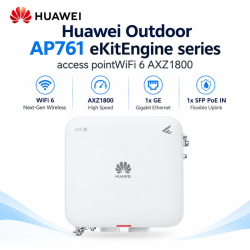
Directional outdoor CPE equipment is another installation choice for a planned link. It is not interchangeable with a ceiling AP for general room coverage. Choose around antenna direction, mounting and the intended service area.
Buying from TechMe BD
Share your layout, existing router and required access locations when requesting a quotation. Include the power source, cabling and mounting equipment. Agree any site assessment or configuration assistance separately.
Read the Warranty Policy and retain invoice and serial details for eligible claims. Coverage follows the selected item and applicable terms. The Online Delivery terms explain arrangements and charges.
Browse the Networking collection for matching switches and related equipment.
Frequently Asked Questions
What is the starting access point price in Bangladesh?
The listed starting price is BDT 2,050 for Tenda AP5. Request the current quotation and supplied power accessories before ordering.
Does an access point replace my router?
Plan its role in the existing network. An access point provides wireless access, while the gateway handles the internet connection according to the design.
Can I power any AP from any PoE switch?
Match the exact model standard, voltage and power requirement. The switch also needs enough per-port and total power capacity.
Does Wi-Fi 6 guarantee faster internet?
No. Compatible clients, the wired connection and broadband service also matter. Wi-Fi classes are not promised download rates.
Can one access point cover every room?
Coverage depends on layout, walls and radio conditions. Choose access locations using the actual site instead of a fixed room-count promise.
Contact TechMe BD for the latest access point price in Bangladesh and a quotation matched to your installation.