TP-Link WiFi Adapter Price in Bangladesh: Model Comparison
| Model | Type | Best for | Key specs | Price (BDT) |
|---|---|---|---|---|
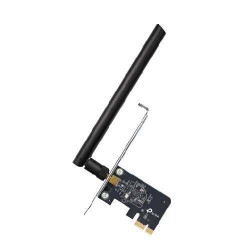
| Archer T2E (store model AC600) | PCIe Wi-Fi card | Desktop with a suitable slot | AC600; dual-band | 1,425 |
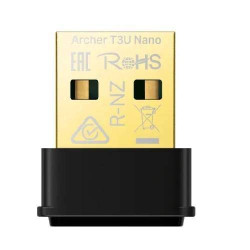
| Archer T3U Nano (AC1300) | USB Wi-Fi adapter | Compact laptop or desktop connection | AC1300; MU-MIMO | 1,850 |
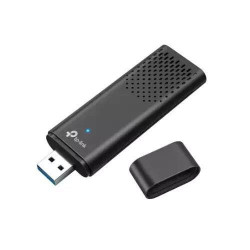
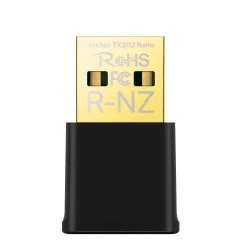
| Archer TX20U Nano (TX20U) | USB Wi-Fi adapter | Compact Wi-Fi 6 shortlist | Listed AX1800; dual-band | 2,100 |
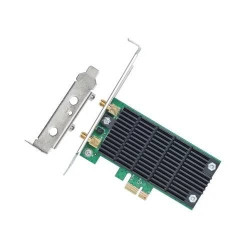
| Archer T4E (AC1200) | PCIe Wi-Fi card | Internal desktop installation | Listed AC1200; dual-band | 2,150 |
| Archer TX20U (TX20U-2) | USB Wi-Fi adapter | Alternative Wi-Fi 6 USB option | Listed AX1800; dual-band | 2,550 |
The listed prices run from BDT 1,425 for Archer T2E to BDT 2,550 for Archer TX20U. The table separates USB adapters from internal PCIe cards. Choose the connection type first, then compare the wireless features and price.
Should You Buy a USB Adapter or a PCIe Wi-Fi Card?
A USB Wi-Fi adapter connects through an available USB port. You can compare these options for laptops and desktops without planning an internal card installation. Check the space beside the port, especially when other USB devices remain connected.
A PCIe wireless card fits inside a suitable desktop computer. Your motherboard needs a compatible available slot, and the card must fit the case. Plan the installation before ordering. A desktop PCIe card is not a direct substitute for a laptop USB adapter.
Both types connect your computer to a wireless network. They do not replace the router or provide an internet subscription. If your computer already has Wi-Fi, identify the problem you want to solve before buying another adapter.
Archer T2E and T4E Prices for Desktop PCs
Archer T2E is listed at BDT 1,425 under store model AC600. TP-Link documents it as an AC600 dual-band PCI Express adapter. Compare it when you want an internal desktop option and have the required slot and installation space.
Archer T4E is listed at BDT 2,150 under store model AC1200. Its listing identifies an AC1200 dual-band wireless card. AC600 and AC1200 are wireless classes, not complete manufacturer model codes. Keep Archer T2E or Archer T4E on your quotation so the intended card is clear.
The higher wireless class does not promise that your broadband download speed will increase. The router, client connection and radio conditions also affect the result. Compare the complete setup instead of selecting a card only by the larger number.
Archer T3U Nano vs TX20U Nano: Which USB Option Fits?
Archer T3U Nano is listed at BDT 1,850. TP-Link identifies it as an AC1300 nano USB adapter with MU-MIMO. Its compact design is worth comparing when you want a small adapter attached to a laptop or desktop.
The Archer TX20U Nano listing is BDT 2,100 and uses store model TX20U. The separate Archer TX20U listing is BDT 2,550 and uses store model TX20U-2. Both titles describe AX1800 dual-band options, but they are separate products. Match the full product name and hardware version before ordering.
TP-Link publishes a dedicated AX1800 Wi-Fi 6 user guide for TX20U Nano. Use the guide and driver downloads for the exact model you receive. Specifications or setup steps for a Plus, Nano or another variant are not interchangeable.
How to Choose Your TP-Link Wireless Adapter
- Choose USB or PCIe around your computer and installation needs.
- Match the full Archer name and hardware revision to the quotation.
- Check official driver support for your operating system.
- Compare supported wireless bands with your router.
- Check case clearance or space around USB ports.
Drivers, Installation and Extra Items
Before ordering, provide your operating system and computer type. Driver support depends on the exact adapter and hardware revision. Obtain a matching official support reference for Linux, macOS or an older Windows installation instead of relying on a general compatibility claim.
USB adapters use the supported USB connection; PCIe cards use the internal computer interface. PoE switches and injectors are not part of their normal power connection. Ask what brackets, antennas or other installation items are included in the actual package.
Include any requested installation or driver setup assistance as a separate quotation item. Download drivers from the official TP-Link support source. Keep the model and hardware revision matched when selecting software.
What Affects Coverage, Wi-Fi Speed and Gaming?
Walls, interference and your computer position affect reception. A larger antenna or a newer adapter cannot guarantee coverage across a fixed number of rooms. Assess the wireless signal at the desk where you plan to use the computer.
Wi-Fi 6-specific features need compatible support from the relevant devices. A Wi-Fi 6 adapter does not upgrade an older router. For gaming or important calls, a suitable wired connection can avoid wireless interference where practical. Network load, ISP routing and the remote server also affect latency.
Buying from TechMe BD
Request the latest price and exact package before ordering. Review the Warranty Policy and keep invoice and serial details for eligible claims. Coverage follows the selected product and applicable terms.
The Online Delivery terms explain arrangements and charges. Share your computer, operating system and router details when asking for a quotation. Browse the WiFi Adapter collection to compare other brands against the same requirements.
Frequently Asked Questions
What is the starting TP-Link WiFi adapter price in Bangladesh?
The listed starting price is BDT 1,425 for Archer T2E. Prices in this selection reach BDT 2,550 for Archer TX20U; request a current quotation for the exact package.
Which type should I choose for a laptop?
Compare USB adapters for an external laptop connection. The PCIe cards listed here need a suitable internal desktop installation.
Are TX20U Nano and TX20U the same product?
They are separate listings with different product names and prices. Match the complete Archer name and hardware version instead of relying on the abbreviated store model field.
Will the adapter work with Linux or macOS?
Support depends on the exact model and hardware revision. Check the matching official driver information for your operating system before ordering.
Will an AX1800 adapter deliver 1800 Mbps internet?
AX1800 is a wireless class, not a promised download speed. Your router, broadband service, computer interface and wireless environment affect practical results.
Contact TechMe BD for the latest TP-Link WiFi adapter price in Bangladesh and a quotation matched to your computer.