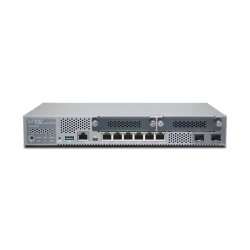
Firewall Price in Bangladesh: 5 Listings to Compare
| Model | Type | Best for | Listed details / exact device match required | Price (BDT) |
|---|---|---|---|---|
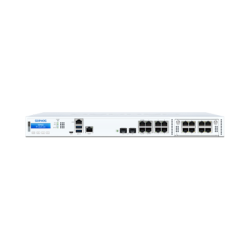
| XGS 2100 | Firewall appliance / gateway | Requirements-based business shortlist | Sophos XGS 2100 Next-Generation Firewall Appliance | Quotation |
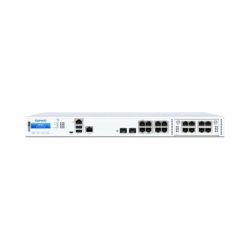
| XGS 2300 | Firewall appliance / gateway | Requirements-based business shortlist | Sophos XGS 2300 Next-Generation Firewall Appliance | Quotation |
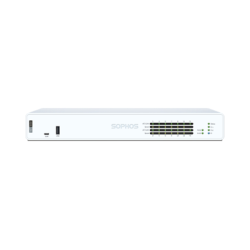
| XGS 136 / XGS 136w | Firewall appliance / gateway | Requirements-based business shortlist | Sophos XGS 136 / XGS 136w Next-Generation Firewall | Quotation |
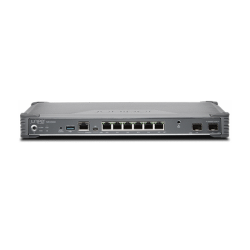
| SRX300 | Firewall appliance / gateway | Requirements-based business shortlist | Juniper SRX300 Next-Generation Firewall | Quotation |
| SRX320 | Firewall appliance / gateway | Requirements-based business shortlist | Juniper SRX320 Next-Generation Firewall Services Gateway | Quotation |
All five listings are on quotation. There is no confirmed numeric starting appliance price in this selection. Ask for the full hardware SKU, software entitlement and support term so you can compare complete packages.
Which Firewall Fits Your Business Network?
Start with your network requirements. Record the internet connections, branches and users who need remote access. Then identify the security services your organisation intends to use. These details matter more than choosing the biggest number in a model name.
A firewall appliance is different from an access point or an ordinary switch. It serves a gateway and security role within the planned network. You may still need separate wireless access points, switching and the appropriate cabling.
Include the person or team who will manage the system in the selection. Setup, policy changes, updates and monitoring all need clear ownership. A hardware purchase alone does not define the ongoing administration service.
Sophos XGS 2100, XGS 2300 and XGS 136 Options
The Sophos listings include XGS 2100, XGS 2300 and a combined XGS 136 / XGS 136w entry. Get the exact variant on the quotation, especially for the combined listing. A slash-separated title does not identify which appliance or package will be supplied.
Sophos publishes separate performance figures for firewall forwarding, threat protection and VPN workloads. These measure different tasks under stated test conditions. Match the intended enabled services to the relevant performance information instead of treating one headline rate as the result for every configuration.
Ask which security subscriptions and support services are included. Sophos documents hardware products and firewall licensing separately. Keep the subscription name, duration and renewal requirements clear before comparing the total cost.
Juniper SRX300 vs SRX320: What Should You Compare?
SRX300 and SRX320 are listed as firewall services gateway options. Juniper publishes different hardware and software bundle codes for the family. The short model name does not identify the exact licensed package.
Juniper documentation distinguishes hardware-only offerings from system bundles and software licences. Request the complete SKU and included entitlement on the quotation. Match the interfaces and any expansion requirements to the exact supplied variant.
Describe your intended routing, VPN and inspection needs to the person preparing the design. Model selection should account for the workload and enabled functions. A physical port rate alone does not establish the processing result with every service active.
How to Choose Your Firewall
- Record internet links, remote-access needs and branch connections.
- List the security functions you intend to enable.
- Compare the relevant workload metrics in the exact model documentation.
- Specify hardware SKU, subscriptions and support duration.
- Agree deployment, ongoing management and renewal responsibilities.
Hardware Cost, Subscription and Renewal
Ask for separate quotation lines for the appliance, software services and support. A hardware-only offer can look cheaper than a bundle because it contains different items. Compare the same required services over the same period.
Record the activation and renewal terms for the supplied licence. Some requested capabilities may depend on the selected subscription. Use the current manufacturer entitlement details for that package instead of inferring coverage from the appliance name.
If equipment is being replaced or transferred, clarify registration and entitlement requirements before ordering. Keep the serial number and applicable account ownership documented. Agree who will complete the supported activation process.
Interfaces, Power and Extra Items
Match the appliance interfaces to the ISP handoff, internal switch and any required optical links. Include compatible optics or cables where needed. An SFP slot description does not establish that a suitable module comes with the package.
PoE output is a variant-specific function, not an automatic feature of every firewall. Identify a separate compatible power source for access points when the design requires one. Follow the power and installation instructions for the exact appliance.
List mounting hardware, power leads and any required backup-power arrangements. Agree configuration, migration and testing work separately. The quotation should make clear which equipment and services are actually included.
Buying from TechMe BD
Share your existing topology and intended services when requesting a quotation. Include current broadband requirements and any planned expansion. Ask for the proposed appliance, licence and support package as a clear equipment list.
Read the Warranty Policy and retain invoice and serial details for eligible claims. Hardware warranty and software support are separate terms to review. The Online Delivery terms explain arrangements and charges.
Browse the Networking collection for related switching, wireless access and cabling equipment.
Frequently Asked Questions
What is the starting firewall price in Bangladesh?
The five firewall listings here are on quotation. Contact TechMe BD for the exact appliance, licence and support package instead of using an unconfirmed starting amount.
Does a hardware firewall price include every security subscription?
Package contents differ. Request the included services, subscription duration and renewal terms on the quotation.
Are XGS 136 and XGS 136w one identical product?
The store combines those names in one listing. Specify the exact manufacturer variant and supplied package before ordering.
Should I compare firewall throughput with threat-protection throughput?
They describe different workloads. Use the metric and test conditions relevant to the services your organisation plans to enable.
Does a firewall appliance replace all my wireless access points?
Plan the wireless network separately around the exact appliance and site requirements. A gateway or firewall role does not establish Wi-Fi coverage across the building.
Contact TechMe BD for the current firewall price in Bangladesh and a quotation matched to your installation.