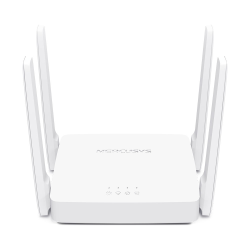

WiFi Router Price in Bangladesh: 5 Options to Compare
| Model | Type | Best for | Listed details / exact device match required | Price (BDT) |
|---|---|---|---|---|
| F3 | Wireless router | Budget home shortlist | Tenda F3 300Mbps Wireless Router | 1,325 |
| Archer C54 | Dual-band Wi-Fi router | AC1200 shortlist with Fast Ethernet limits | TP-Link Archer C54 AC1200 Dual Band WiFi Router | 2,500 |
| MR30G | Gigabit Wi-Fi router | Listed dual-band Gigabit option | Mercusys MR30G AC1200 Dual Band Gigabit WiFi Router | 2,530 |
| Archer AX53 | Wi-Fi 6 Gigabit router | Compatible Wi-Fi 6 clients | TP-Link Archer AX53 AX3000 Wi-Fi 6 Gigabit Router | 6,000 |
| Deco E4 | Mesh Wi-Fi system | Listed three-unit package | TP-Link Deco E4 AC1200 Whole Home Mesh WiFi System (3-Pack) | 8,950 |
The table covers different home-network needs, not an audited national sales ranking. Prices are TechMe BD base listing amounts. A mesh three-pack and one standalone router are different packages, so compare the supplied quantity as well as the features.
Which Router Fits Your Broadband and Home?
Start with your broadband package and the places where you use the connection. Count wired devices as well as phones and laptops. Then identify where the router and any extra access locations can be installed.
For a compact layout, a single router may be enough when placed appropriately. A divided flat or several floors may need additional access points or a suitable mesh arrangement. Walls, interference and placement affect results; antenna count cannot guarantee a fixed room count.
The lowest priced actual router here is Tenda F3 at BDT 1,325. The category also contains a Mercusys MW150US USB adapter at BDT 1,030. That adapter is a separate type of product, not a lower-priced wireless router.
Tenda F3 and TP-Link Archer C54 Prices
Tenda F3 is listed as a 300Mbps wireless router. Compare its exact hardware version and interfaces before choosing it for your broadband. A budget model should still match the connection requirements you intend to use.
Archer C54 is listed at BDT 2,500 as an AC1200 dual-band router. TP-Link specifies 10/100 Mbps WAN and LAN ports for this model. That wired limit matters even when your phone connects using a faster advertised wireless class.
A 100 Mbps Ethernet link limits usable throughput below its nominal rate. For a broadband package above 100 Mbps, shortlist suitable Gigabit WAN and LAN connections. The ISP equipment and client interfaces need to support the intended rate as well.
Mercusys MR30G and Archer AX53
Mercusys MR30G is listed at BDT 2,530 as an AC1200 dual-band Gigabit Wi-Fi router. It gives you a different wired-interface shortlist from the documented Fast Ethernet C54. Match the exact revision and supplied specification before ordering.
Archer AX53 is listed at BDT 6,000. TP-Link identifies it as an AX3000 dual-band Gigabit Wi-Fi 6 router. Compare it when your devices and network plan can use the supported Wi-Fi 6 features.
AC1200 and AX3000 are wireless classes, not promised internet download rates for one device. Broadband service, client hardware and radio conditions affect practical speed. Compatible clients are needed to use Wi-Fi 6-specific capabilities.
Should You Buy One Router or a Mesh System?
The Deco E4 listing is BDT 8,950 for a three-pack. Compare the package around the planned access locations, not simply against the price of one router. Mesh still needs sensible unit placement and a suitable connection between units.
TP-Link documents Fast Ethernet interfaces for Deco E4. Check that limit against your broadband and local traffic requirements. A mesh label does not establish Gigabit ports or guarantee a particular speed in every room.
Choose the supported mesh family and exact hardware package. Different brands and similarly named variants do not automatically form one managed mesh system. Match expansion units to the manufacturer compatibility information.
How to Choose Your WiFi Router
- Match WAN and LAN speeds to the broadband and wired devices.
- Choose wireless features your clients can actually use.
- Plan placement around walls and the areas you need to serve.
- Compare one router and mesh pack quantities separately.
- Get the exact hardware version and supplied power items on the quotation.
Gaming, Calls and Everyday Reliability
Use a suitable wired connection for gaming or important calls where practical. It can avoid radio interference, but it cannot remove every source of latency. Network load, ISP routing and the remote server also matter.
For Wi-Fi, consider client compatibility and signal at the place you actually use the device. A gaming name or higher wireless class alone cannot guarantee lower ping. Compare the connection path around the application, not a single headline number.
ONU, SIM Routers and Setup Items
A wireless Ethernet router is different from an optical terminal or a mobile hotspot. Identify your ISP handoff before ordering. SIM-supported products also need the appropriate mobile service and supported network configuration.
Include required Ethernet cables and the correct power adapter in the equipment list. An Ethernet socket is not automatically a PoE power connection. Follow the supplied model instructions for power and setup.
Agree any requested configuration, extra access points or installation assistance separately. This keeps hardware and service costs clear. A router listing does not establish that a complete multi-room installation is included.
Buying from TechMe BD
Share your broadband package, layout and connected-device needs when requesting a quotation. Keep the model, hardware version and pack quantity clear. Ask for the current supplied package and availability.
Read the Warranty Policy and retain invoice and serial details for eligible claims. Coverage follows the selected item and applicable terms. The Online Delivery terms explain arrangements and charges.
Browse the Networking collection for related equipment.
Frequently Asked Questions
What is the starting WiFi router price in Bangladesh?
The lowest priced actual router here is Tenda F3 at BDT 1,325. The cheaper USB adapter listing is a different product type.
Which port speed do I need above 100 Mbps broadband?
Choose suitable Gigabit WAN and LAN interfaces across the intended path. Fast Ethernet links can limit traffic even when the advertised Wi-Fi class is higher.
Does AX3000 mean 3000 Mbps internet?
No. It is a wireless class, not a promised download rate for one device. The internet package, clients and network conditions also matter.
Should I choose a single router or mesh?
Choose around the layout and practical access locations. Mesh adds units but still needs suitable placement and supported connections between them.
Do I need Wi-Fi 6 devices for a Wi-Fi 6 router?
Compatible clients are needed to use Wi-Fi 6-specific features. Older supported clients may connect through an earlier standard without gaining those features.
Contact TechMe BD for the latest WiFi router price in Bangladesh and a quotation matched to your installation.