
Choosing an ASUS Router for Your Connection
Start with your broadband package and the devices that need a connection. A fixed PC or console can use a wired LAN link, while phones and laptops rely on the available wireless standards and signal. Include both in the plan before choosing an ASUS router only by its advertised Wi-Fi class.
A single well-positioned router may suit a compact home. For separated rooms or several floors, compare a supported mesh arrangement. Walls, interference and placement affect coverage, so antenna count cannot guarantee a particular floor area or number of rooms.
ASUS RT, TUF, ROG and ZenWiFi Options
RT-AX52 is an AX1800 dual-band Wi-Fi 6 router. ASUS specifies one Gigabit WAN port and three Gigabit LAN ports, making its wired connections a useful starting point for a suitable broadband and device plan. Match the exact supplied model to the official RT-AX52 specification; do not transfer those details to every AX router.
RT-BE58U is a different class of product: ASUS specifies dual-band Wi-Fi 7 and a 2.5G WAN/LAN interface alongside Gigabit connections. That does not make every wired link 2.5G. Verify the supplied regional and hardware version and the role of each port before planning a faster connection.
The store also lists TUF and ROG Rapture products, plus ZenWiFi XD4, XD5 and XD6 packages. These family names help organise a shortlist, but they do not establish identical ports or features. Compare the exact package and model. For an AiMesh expansion, verify the supported model combination and configuration rather than assuming every ASUS product can be added in the same way.
WAN/LAN Speed, Wi-Fi Classes and Gaming
The WAN interface connects the router to the internet equipment. LAN interfaces connect wired devices. A 100 Mbps link limits usable throughput below that nominal speed, even when the wireless label shows a higher figure. For broadband above 100 Mbps, shortlist suitable Gigabit WAN and LAN connections; faster plans need an appropriate complete path through the ISP equipment, router, cables and client interfaces.
AX1800, AX3000 and BE3600 describe wireless classes, not guaranteed internet download rates. Their headline figures do not mean one device receives that internet speed. Client support and radio conditions matter too. Wi-Fi 6- or Wi-Fi 7-specific features require suitable clients; older compatible devices do not acquire newer capabilities simply by connecting.
For gaming, use a suitable wired connection where practical. Wireless play depends on signal quality, client compatibility and interference. Other traffic, ISP routing and the game server affect latency as well. TUF or ROG branding does not guarantee lower ping, lag-free play or a fixed result in your home.
ASUS Router Price in Bangladesh
Current listed examples include RT-N12+ at BDT 2,300, RT-AX52 at BDT 6,000 and RT-AX53U at BDT 8,200. RT-AX57 is listed at BDT 13,500 and RT-BE58U at BDT 19,000. These are base listing amounts; the quotation should identify the exact variant and applicable charges.
ASUS router prices in BD vary with interfaces, wireless features and package quantity. Many TUF, ROG and ZenWiFi entries need a current quotation, so contact TechMe BD for the selected model rather than treating a missing price as a purchase offer. Compare one router with another single unit, or mesh packages with the same number of units.
Buying from TechMe BD
Review the Warranty Policy and keep your invoice and serial details for eligible claims. Coverage depends on the selected product and applicable brand terms. The Online Delivery terms explain delivery arrangements; charges depend on the order and destination.
Share your broadband speed, layout and connected-device needs for model-selection questions, and agree any requested configuration assistance separately. Browse the router collection if you are comparing other brands against the same requirements.
Frequently Asked Questions
What is the starting ASUS router price in Bangladesh?
The current listed starting price at TechMe BD is BDT 2,300 for RT-N12+. Ask for the latest quotation and the exact model/package before ordering.
Which WAN and LAN speeds suit my broadband?
For packages above 100 Mbps, use suitable Gigabit interfaces. For faster plans, check each intended link rather than assuming one 2.5G port upgrades every other connection.
Should I buy one ASUS router or a mesh package?
Choose by the building layout and practical installation points. Mesh adds access locations, but placement and inter-node links remain important. Verify the exact model combination and number of supplied units.
Do I need compatible devices for Wi-Fi 6 or Wi-Fi 7?
Yes. A client needs support for the relevant standard to use its newer wireless features. Older compatible devices may connect through a supported earlier standard without gaining the newer capabilities.
Shortlist the ASUS model or mesh package that matches your connection and layout, then contact TechMe BD for a current model-specific quotation.
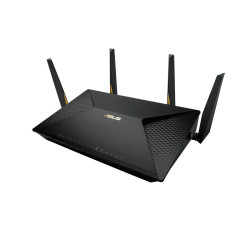
- AC2600 dual-band Wi-Fi
- 2 Gigabit WAN ports
- 8 Gigabit LAN ports
- 2 USB 3.0 ports
- MU-MIMO support
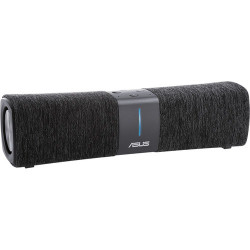
- AC2200 tri-band Wi-Fi 5
- AiMesh router and node modes
- 1 Gigabit WAN port
- 1 Gigabit LAN port
- 512MB RAM
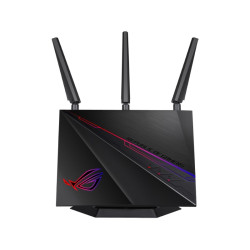
- Simultaneous 2.4GHz and 5GHz Wi-Fi
- AiMesh support with compatible ASUS routers
- Router, access point and repeater modes
- USB 3.0 and USB 2.0 connections
- USB storage and printer sharing
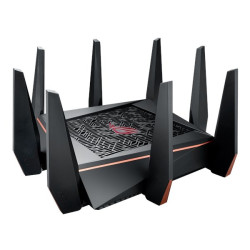
- Tri-band 802.11ac Wi-Fi
- 8 Gigabit LAN ports
- 2 USB 3.0 ports
- Quad-core 1.8GHz processor
- ROG Gaming Center management
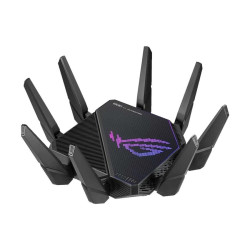
- Wi-Fi 6 (802.11ax)
- Tri-band 2.4GHz and two 5GHz bands
- ASUS AiMesh support
- USB 3.2 Gen 1 port
- USB 2.0 port
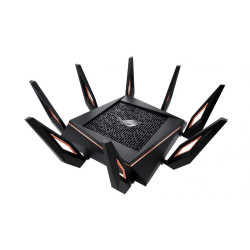
- Wi-Fi 6 (802.11ax)
- ASUS AiMesh support
- 2.5Gb Ethernet port
- Gigabit WAN plus 4 Gigabit LAN ports
- 2 USB 3.1 Gen 1 ports
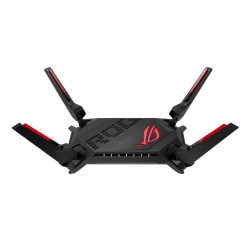
- Wi-Fi 6 (802.11ax)
- Dual-band 2.4GHz and 5GHz
- 2 x 2.5Gb Ethernet ports
- 4 additional Gigabit LAN ports
- USB 3.2 Gen 1 and USB 2.0 ports
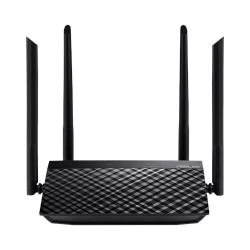
- Model: ASUS RT-AC1200 V2
- Dual-Band: 2.4GHz + 5GHz
- WiFi Speed: 300Mbps + 867Mbps (AC1200)
- 4× External Antennas
- RAM: 64 MB। Flash Memory: 16 MB।
- Warranty: 2 Years
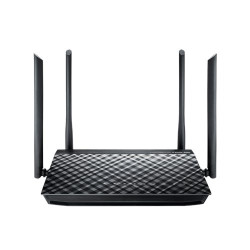
- Model: Asus RT-AC1200G+
- External 5 dBi antenna x 4
- Processor BCM47189+ BCM43217
- Memory 16 MB Flash, 128 MB RAM
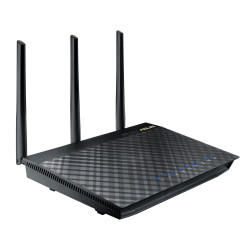
- Model: Asus RT-AC66U
- Frequency: 2.4 GHz / 5 GHz
- RAM: 256 MB
- Detachable antenna x 3
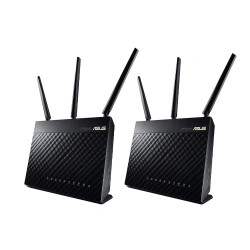
- Model: RT-AC68U 2 Pack
- Frequency: 2.4 GHz / 5 GHz
- Memory: 256 MB RAM
- External antenna x 3
- 8611 SQ FT Open Space Coverage
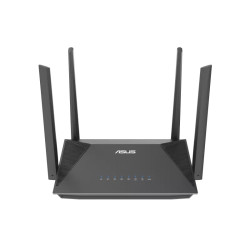
- Model: RT-AX52
- AX1800 Ultimate AX Performance: 1201 Mbps+ 574 Mbps
- Coverage Area: Up to 2,500 square feet (in open space)
- Working Mode: Access Point, AiMesh Node, Repeater, Router
- Features: Instant Guard, Built-in VPN, AiMesh Compatible
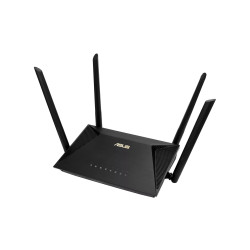
- Model: RT-AX53U
- Supports MU-MIMO and OFDMA technology
- Total networking speed of about 1800Mbps
- 1x Gigabit WAN port & 3x Gigabit LAN ports
- AiProtection and Parental Controls
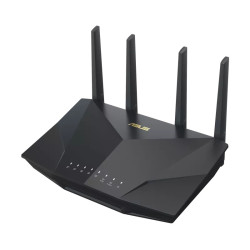
- Model: RT-AX5400
- High Efficiency WiFi6
- Delivers Up to 5,400 Mbps
- 4 x External antennas
- Powerful WAN Aggregation
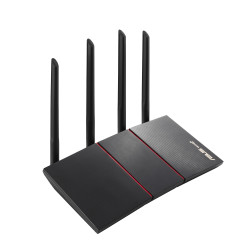
- Model: ASUS RT-AX55 AX1800
- WiFi standard 802.11AX (WiFi 6)
- 574 Mbps on the 2.4GHz band
- 1201 Mbps on the 5GHz band
- Lifetime free AiProtection
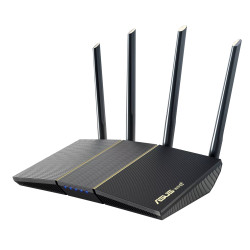
- Model: RT-AX57
- Speed: 574 Mbps on 2.4GHz and 2402 Mbps on 5GHz band
- Supports MU-MIMO and OFDMA
- Commercial-grade Security Anywhere
- Built-in VPN, AiMesh Compatible
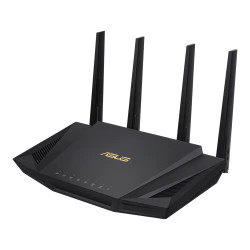
- Model: RT-AX58U
- Next-Gen WiFi 6 Standard (802.11ax)
- Ultrafast WiFi Speed
- NitroQAM (1024-QAM) technology
- Wider Usage and More Convenience
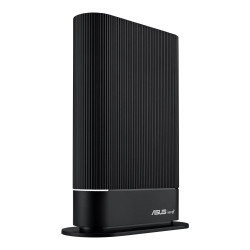
- Model: RT-AX59U
- Frequency: Dual Band (2.4GHz & 5GHz)
- Data Rate: 2.4GHz up to 574 Mbps, 5GHz up to 3603 Mbps
- Ports: 1x Gigabyte WAN, 3x Gigabyte LAN
- Wi-Fi Coverage: Up to 2600 Square Feet Area
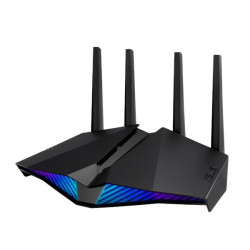
- Model: ASUS RT-AX82U AX5400
- ASUS Aura RGB lighting effects
- Mobile Game Mode
- ASUS AiMesh support
- New-generation WiFi 6
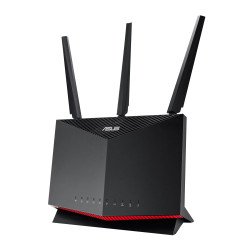
- Model: RT-AX86S
- Up to 5700 Mbps with latest WiFi 6 (802.11ax) and 160MHz channels
- Up to 5700 Mbps with latest WiFi 6 (802.11ax) and 160MHz channels
- Processor: 1.8GHz dual- core processor
- Memory: 256MB Flash, 512MB RAM